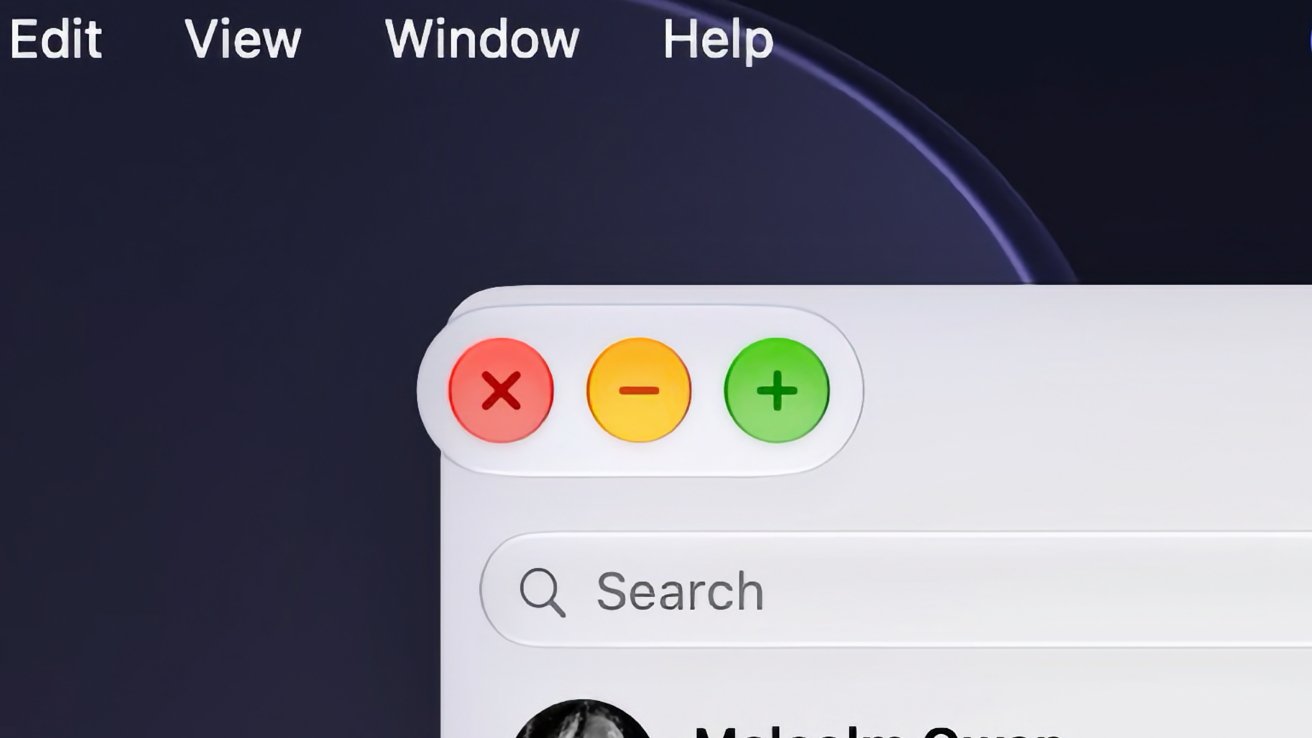
The $2,899 touchscreen MacBook Pro got all the attention last week. The more interesting part of the story may be that Apple isn't treating touch as a feature of one laptop — it's quietly turning the entire Mac into a touch-native platform.
AppleInsider tested macOS Golden Gate's touch layer against hardware Apple didn't make, and found it works: plug in a third-party touchscreen display and the Mac adapts — window traffic lights swell under your fingertip, the menu bar enlarges for taps, Dock long-presses produce touch-friendly menus, and gestures go beyond simulated mouse clicks through new APIs developers can adopt directly.
The bigger unlock is Sidecar. Anyone with an iPad and the 27.3 betas can now drive macOS by touch on a tablet screen — tap actual interface elements instead of treating the iPad like a Magic Trackpad with training wheels. Apple experimented with this back in the June betas, but the final implementation makes the interface genuinely navigable by finger alone.
This is the tell. If touch were a gimmick to justify a $2,899 laptop, Apple would keep it bolted to that machine's chassis. Instead the whole interface layer scales, the gesture APIs are open to developers, and — tellingly — it works with displays Apple doesn't sell. That's not a product strategy, it's a platform one: Apple is hedging that the touchscreen MacBook Pro is the first of many touch Macs, and it wants the software — and third-party developers — ready before the hardware roadmap needs them.
There are rough edges: AppleInsider found it worked on one of two third-party touchscreen displays tested, and blamed drivers, not hardware. That's exactly what you'd expect from a software layer arriving ahead of a peripheral ecosystem. Apple has now shipped the interface; the driver makers and app developers decide how fast it fills in.
The touchscreen MacBook Pro arrives in stores Friday. The more durable question is what Apple just told every Mac owner with an iPad and a Sidecar connection: your tablet is now a touchscreen Mac, too.
— via AppleInsider