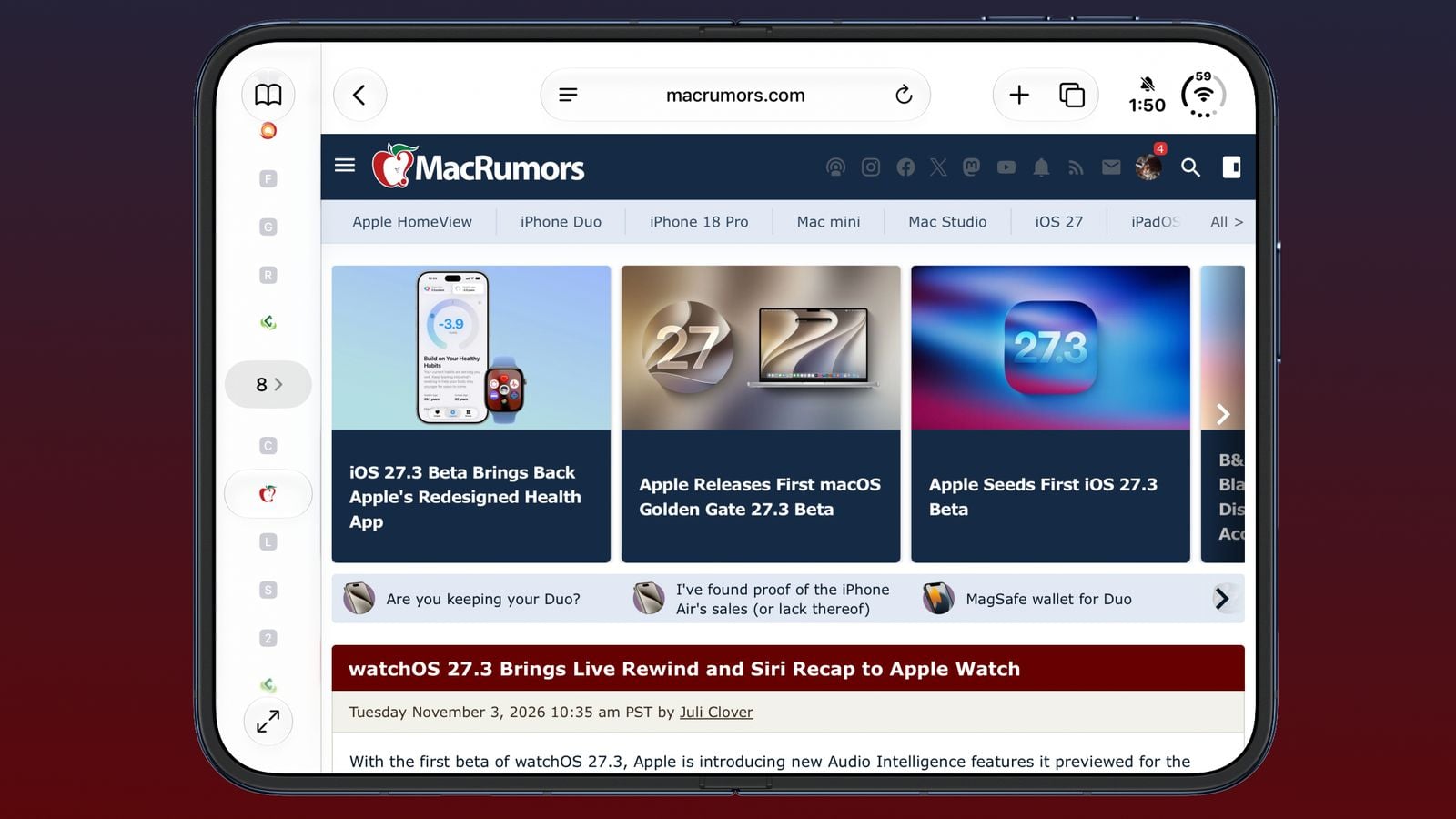
Safari is finally getting the redesign power users have begged for. In iOS 27.3, iPadOS 27.3, and macOS Golden Gate 27.3, Apple is adding a vertical tabs layout — the browser's biggest interface change in years — alongside an Adaptive Dark Mode that forces the entire web into dark mode whether sites like it or not, according to MacRumors.
Vertical tabs live on the left side of the display, showing icons by default with an option to widen the bar for full website titles. They work with Tab Groups and Topics (Apple's auto-sorting for tabs, from iOS 27), and all the familiar gestures — drag-to-pin, quick Tab Group switching — carry over. Apple notes it pairs especially well with the iPhone Duo's larger display, but it's available on every iPhone, iPad, and Mac. The toggle lives in Safari settings or the View menu.
Adaptive Dark Mode is the bolder swing. When you're in dark mode and land on a blindingly bright website with no dark theme of its own, Safari will offer to "Try" an adapted version — darkened backgrounds, rebalanced contrast, inverted logos and graphics, recolored vector art, lifted surfaces, reworked shadows. Each site gets only the tweaks it needs. You can enable it for all sites or one at a time, and developers who'd rather keep their design intact can add a tag to opt out entirely.
Then there's Siri. The new Siri AI actions let the assistant sort, move, close, and arrange tabs and windows, manage Tab Groups, and clear your history for a specific site over a set period — "clear my history for this site for the last 10 days." The deeper trick — Siri understanding the full content of webpages, including tabs you don't have open — is announced but not in the first beta. Ask it to compare prices across your open shopping tabs, and Siri will do the reading for you.
Both features are in today's developer betas (the Siri actions need an Apple Intelligence-capable device). Public release in December.
— via MacRumors